How Shopify Inventory Management Works for Ecommerce and Retail Businesses
This post may contain affiliate links. Please read ourdisclosure policy
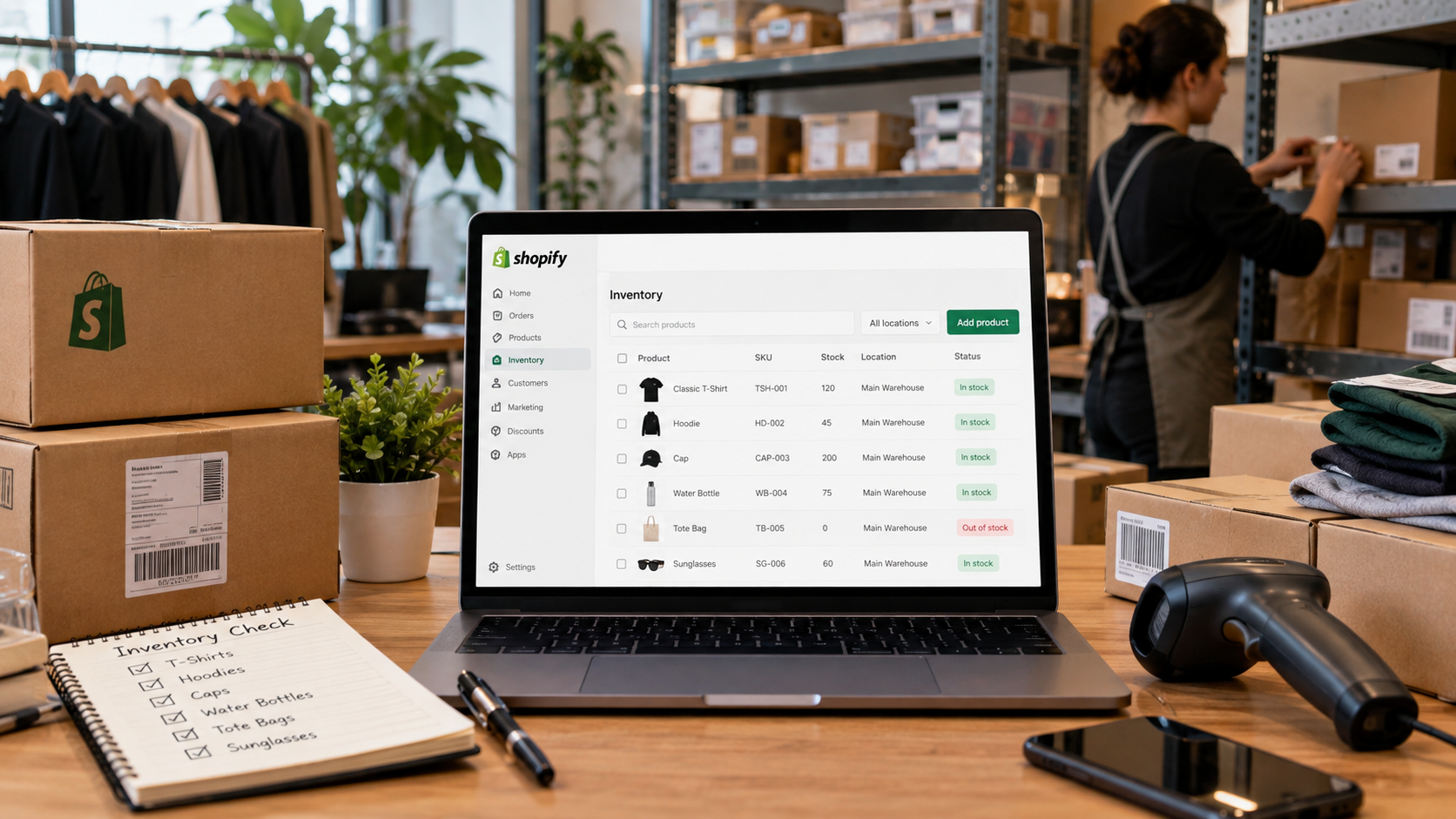
Managing stock accurately becomes increasingly important as an ecommerce business adds products, sales channels, warehouses, and retail locations. Shopify inventory management gives merchants built-in tools for tracking stock, handling purchase orders, transferring inventory, reviewing product performance, and coordinating online and in-person sales from Shopify Admin.
Instead of requiring a separate inventory platform at launch, Shopify includes inventory functionality with its paid commerce plans. Businesses can begin with relatively simple SKU tracking and later connect apps, POS tools, warehouse systems, or ERP software as operational requirements increase.
What Is Shopify Inventory Management and How Does It Work?
Shopify inventory management is Shopify's built-in system for tracking products and stock across ecommerce and physical retail operations. Inventory is connected directly with products, orders, fulfillment, purchasing, and Shopify POS.
Stock can be tracked at the product-variant and SKU level. This means a retailer selling a shirt in several sizes and colors can monitor the quantity of each individual variation instead of treating every shirt as a single inventory item.
Shopify separates stock into inventory states such as:
- On hand
- Available
- Committed
- Incoming
- Unavailable
These classifications give merchants a clearer picture of what inventory physically exists, what can currently be sold, what has already been committed to orders, and what stock is expected from suppliers.
Shopify Inventory Management Pricing
Inventory functionality is included in Shopify's paid plans rather than sold as a separate inventory subscription. Based on the pricing provided for this review, plan costs are:
- Basic: $39 per month with monthly billing or a $29-per-month effective rate with annual billing
- Grow: $105 per month with monthly billing or a $79-per-month effective rate with annual billing
- Advanced: $399 per month with monthly billing or a $299-per-month effective rate with annual billing
- Shopify Plus: Starting at $2,300 per month with a three-year term or $2,500 per month with a one-year term for standard setups
Actual pricing can differ by country and business setup. The base subscription is only part of the potential expense. Retailers may pay separately for POS Pro, specialized inventory applications, accounting integrations, ERP software, warehouse systems, custom development, and physical POS equipment.
Tracking Inventory Across Multiple Locations
One of Shopify's useful features for growing retailers is multi-location inventory tracking. Basic, Grow, and Advanced plans can support up to 10 inventory locations. A location might represent a physical store, warehouse, stockroom, fulfillment facility, or another place where merchandise is stored.
Each location can maintain its own quantities. For example, a business could have 80 units of one SKU in its primary warehouse, 20 units at Store A, and 15 units at Store B.
Rather than treating the company as having one combined stock quantity without location information, Shopify can associate those units with their respective locations. This setup helps merchants identify where products are available and where replenishment may be needed.
SKU and Product Management
Shopify supports unlimited products on its major plans, making its inventory tracking system practical for stores with expanding catalogs. Variants allow merchants to divide products according to attributes such as:
- Size
- Color
- Material
- Style
Individual variants can have their own SKU and inventory quantity. Centralized product administration is particularly helpful for businesses selling through several channels because staff do not need to maintain completely separate product databases for online and physical sales. Good SKU organization remains important. Consistent SKU naming can make stock counts, reporting, transfers, purchasing, and troubleshooting easier as the catalog expands.
Purchase Orders and Incoming Stock
Shopify includes purchasing tools that allow businesses to create supplier purchase orders and record incoming inventory. Purchase orders help merchants document what has been ordered from suppliers before the products physically arrive. When stock is delivered, quantities can be received against the appropriate order.
Tracking incoming products provides purchasing teams with a clearer view of future stock availability. This can help prevent unnecessary duplicate orders and give staff additional information when deciding when products need replenishment.
Inventory Transfers Between Locations
Businesses operating several locations frequently need to redistribute existing merchandise rather than purchase additional units. Shopify supports stock transfer management, allowing inventory to move between locations while maintaining a record of the transfer. Suppose one retail location has excess inventory while another is running low.
The business can transfer units from the first location to the second and record receipt when the shipment arrives. This process can help companies use existing inventory efficiently before placing another supplier order.
Inventory Reports and Product Analysis
Accurate stock quantities become far easier to use when merchants can connect them with sales and product-performance data. Depending on the account, plan, and available reporting features, Shopify can provide information related to:
- Inventory quantities
- Stock by location
- Inventory adjustments
- Inventory performance
- Product sales
- Inventory valuation
- Stock status
- Sell-through activity
- Cost of goods sold
- Incoming inventory
Businesses can use inventory reporting tools to identify products that sell quickly, items that move slowly, and locations carrying potentially excessive stock. Shopify's ABC analysis can also help merchants classify products according to their contribution to business performance.
This information can support purchasing decisions by helping teams focus attention on important products. Historical performance still needs context. Seasonal demand, promotions, supplier delays, new product launches, and changes in customer behavior can affect future requirements.
Shopify POS and Inventory
Shopify POS connects physical retail transactions with the same commerce platform used for online sales. POS Lite is included with Shopify plans. Businesses needing advanced retail capabilities can use POS Pro, listed at $89 per month for each retail location in the pricing supplied for this review.
POS Pro can provide capabilities such as inventory counts, purchase-order tools, low-stock alerts, retail reports, staff permissions, customer profiles, cross-location returns, and omnichannel retail functions. The per-location structure deserves attention when calculating total software expenses.
A retailer running POS Pro at three locations, for example, would spend $267 per month on POS Pro before accounting for the underlying Shopify subscription, payment processing, hardware, apps, or other integrations.
Managing Inventory Across Sales Channels
An omnichannel inventory management strategy requires stock information to remain synchronized as customers purchase through different channels. Shopify can connect inventory activity associated with channels and order types such as:
- Shopify online stores
- Physical retail locations
- Shopify POS
- Social sales channels
- Marketplaces
- B2B orders
- Subscriptions
- Bundles
- Draft orders
- Preorders
Keeping sales and stock information within the Shopify ecosystem can reduce the need to manually update quantities after transactions. The exact setup can still depend on the channels, apps, fulfillment providers, and integrations being used.
What Are the Main Advantages?
A major benefit is convenience. Inventory management sits alongside ecommerce operations rather than functioning as a completely disconnected application. Another advantage is scalability. A small store can begin with straightforward stock tracking and add retail locations, sales channels, applications, or enterprise integrations later.
Other useful capabilities include SKU-level tracking, multiple inventory locations, purchase orders, internal transfers, inventory states, reporting, POS connectivity, and access to Shopify's app ecosystem. For merchants already committed to Shopify, keeping these functions connected can simplify everyday administration.
What Limitations Should Businesses Know?
Shopify may not replace dedicated software for every inventory environment. Companies with advanced manufacturing processes, detailed bills of materials, highly automated warehouses, or demanding ERP requirements may need specialized software connected to Shopify.
Expenses can increase as those requirements grow. POS Pro costs $89 per month per location based on the pricing supplied for this review.
Forecasting applications, warehouse integrations, ERP platforms, accounting software, development work, and POS hardware can raise total operating costs further. Businesses should therefore evaluate total expected software expenses rather than judging affordability solely from the Basic plan price.
Why Shopify Inventory Management Works Well for Ecommerce Retailers
Shopify's inventory system is particularly suitable for businesses that want commerce and inventory data closely connected. Potential users include:
- Ecommerce stores
- Small and midsize retailers
- Businesses combining ecommerce with physical stores
- Brands operating several warehouses or stock locations
- Omnichannel sellers
- Growing retailers planning to expand their sales channels
Businesses primarily focused on manufacturing, highly automated warehouse operations, or advanced enterprise resource planning may require additional platforms.
Is Shopify Inventory Management Worth Using?
For retailers already using Shopify, the built-in inventory system can provide a practical starting point without requiring a separate inventory subscription immediately. The Basic plan starts at $39 per month under monthly billing according to the pricing supplied for this review, while businesses can move to Grow, Advanced, or Shopify Plus as their operational requirements increase.
The strongest aspect of the system is the close connection among products, stock, orders, ecommerce sales, POS transactions, purchasing, transfers, fulfillment, and reporting. Its main limitation appears when a company needs highly specialized inventory functionality. At that stage, paid applications, POS Pro, ERP software, warehouse platforms, or custom integrations can significantly increase the overall cost.
For ecommerce and omnichannel retailers seeking centralized stock control inside the same platform used to run their store, Shopify inventory management provides a capable foundation that can expand alongside the business.