How Shopify Checkout Optimization Can Improve the Customer Buying Experience
This post may contain affiliate links. Please read ourdisclosure policy
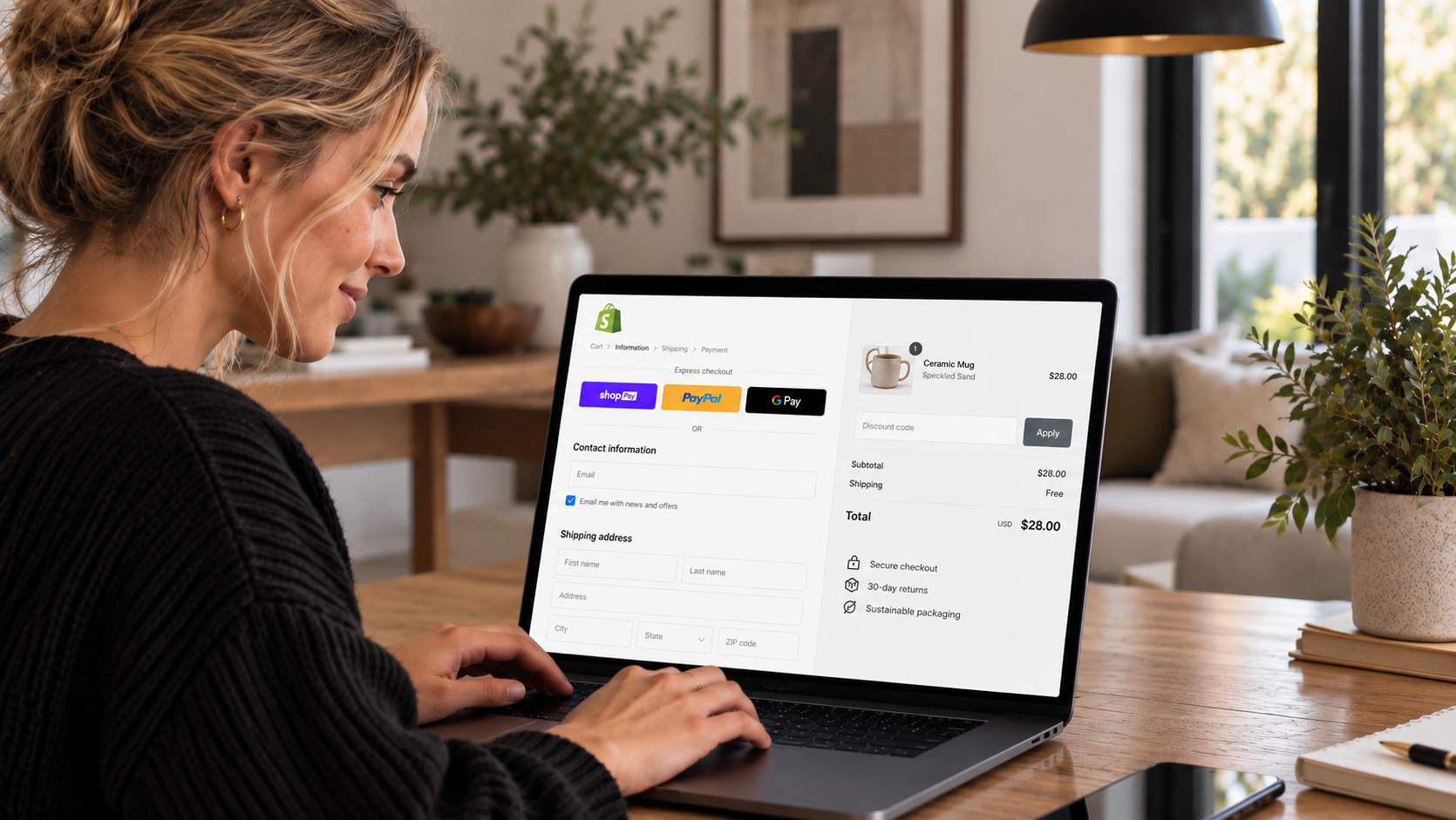
Shopify checkout optimization focuses on making the final stages of an online purchase faster, clearer, and easier for customers to complete. Even when shoppers like a product enough to add it to their carts, issues involving unexpected costs, lengthy forms, limited payment methods, or confusing delivery information can cause them to leave before paying.
Shopify provides a built-in checkout system across its ecommerce plans, giving merchants access to guest checkout, accelerated payments, mobile-friendly pages, automatic calculations, and customization features. Knowing how these tools work can help store owners identify checkout friction and make informed changes without rebuilding their entire ecommerce setup.
How Shopify Checkout Optimization Can Reduce Purchase Friction
Effective Shopify checkout optimization starts with identifying obstacles between a shopper's cart and the final payment confirmation. Baymard Institute research has consistently found average online shopping-cart abandonment rates near 70%.
Customers abandon purchases for many reasons, and some shoppers never intended to buy immediately. Still, checkout design can influence how easily purchase-ready customers complete their orders.
Optimization commonly focuses on six areas: checkout speed, form simplicity, payment flexibility, cost transparency, mobile usability, and customer confidence. A store should therefore examine the full checkout experience instead of concentrating on one button or page.
Shopify Checkout Pricing and Plan Options
Shopify Checkout comes as part of the Shopify commerce platform rather than as a separately purchased checkout product. Subscription pricing varies according to plan, billing frequency, country, and available promotions. Commonly listed Shopify plan pricing has included:
- Basic: $39 per month with monthly billing or $29 per month when billed annually
- Grow: $105 per month with monthly billing or $79 per month when billed annually
- Advanced: $399 per month with monthly billing or $299 per month when billed annually
- Shopify Plus: pricing can begin at approximately $2,300 per month
Shopify may change subscription rates, plan names, billing conditions, and promotional pricing. Merchants should check Shopify's current pricing page before making a purchasing decision. Checkout apps can carry separate subscription or usage fees, so businesses should account for those expenses when estimating their total ecommerce costs.
What Features Does Shopify Checkout Include?
Shopify provides many of the functions required for a modern ecommerce checkout directly through its platform.
One-Page Checkout
Shopify's one-page checkout places key customer, delivery, and payment information into a consolidated experience. Keeping checkout information logically organized can reduce unnecessary page changes and help shoppers see what information they still need to provide.
Guest Checkout
Requiring customers to create an account can add friction. Guest checkout allows shoppers to complete an order without establishing a traditional customer account first. This can be especially useful for first-time customers who want to purchase quickly.
Shop Pay
Shop Pay is Shopify's accelerated checkout option. Eligible shoppers can use previously saved information, reducing the amount of information they need to enter during later purchases. Faster data entry can be especially helpful on smartphones, where typing addresses and payment details may take longer.
Automatic Calculations
Shopify can calculate applicable shipping charges and taxes based on store settings and customer information. Accurate calculations help merchants present customers with a clearer final order total.
Why Transparent Checkout Costs Matter
Unexpected charges can cause shoppers to reconsider a purchase at the final stage.
Whenever practical, stores should communicate shipping charges, taxes, and other applicable costs before customers reach the payment confirmation stage. Product pages, carts, shipping policies, and checkout messaging can work together to set expectations.
Merchants should also clearly communicate thresholds for free shipping when applicable. The final total should be easy to identify before payment authorization. Customers should know exactly what they are agreeing to pay.
How to Simplify Shopify Checkout Forms
Every unnecessary field creates another task for the customer.
Merchants should review their checkout forms and determine which pieces of information are actually needed to process, deliver, and support an order. Address autocomplete can speed up entry and reduce typing errors.
Clear form labels can help customers understand what information is required, while effective error messages can show exactly what needs correction. Error messages should appear close to the affected field and use straightforward instructions.
Payment Options Can Influence Checkout Completion
Customers have different payment preferences depending on location, device, and previous shopping habits. Shopify can support traditional card payments alongside compatible accelerated and alternative payment methods.
Depending on merchant eligibility and market availability, customers may encounter options such as Shop Pay, PayPal, digital wallets, or regional payment methods. Adding every available payment method may not be necessary.
Merchants should focus on payment choices that match the preferences of their target customers. Regular checkout analytics can help determine which methods customers actually use.
Mobile Shopify Checkout Optimization
A checkout experience that works well on a desktop computer may still cause problems on a smaller smartphone screen. Merchants should test checkout pages on different screen sizes and examine button placement, text readability, form behavior, loading performance, payment selection, and error messages.
Customers should be able to complete important actions without excessive zooming or difficult tapping. Mobile testing should also cover promotional codes, shipping choices, express payment options, and final order confirmation.
Using Shop Pay for Faster Checkout
Shop Pay can reduce repeated data entry for eligible returning shoppers by using previously saved checkout information. This makes it particularly relevant for businesses with returning customers.
A customer who already has compatible information stored may be able to move through checkout with fewer manual actions. Shopify has published case studies and performance claims related to Shop Pay and checkout conversion.
Store owners should treat these figures as examples rather than guaranteed outcomes. Actual results depend on factors such as traffic sources, customer intent, product pricing, audience, device usage, and the store's previous checkout performance.
Checkout Customization on Standard Shopify Plans
Shopify gives merchants access to its checkout and accounts editor for supported customization. Businesses can adjust branding elements such as logos, typography, and colors while maintaining Shopify's underlying checkout framework.
Compatible apps and extensions can provide additional functions in supported areas. Keeping customization restrained can be beneficial.
Filling checkout pages with excessive messages, promotions, upsells, or visual elements may distract customers from completing payment. Every added element should serve a clear purpose.
Shopify Plus Checkout Customization
Shopify Plus targets larger and higher-volume businesses that need advanced commerce capabilities. Eligible Plus merchants can use expanded checkout customization features and compatible checkout extensions across additional checkout areas.
These capabilities can support specialized workflows and advanced business requirements. The added flexibility comes with a significantly higher subscription cost.
A smaller store may find that Shopify's standard checkout capabilities already cover its practical needs. Businesses evaluating Plus should compare the additional functionality against their actual operational requirements and budget.
How Analytics Can Guide Checkout Changes
Checkout optimization works best when decisions are based on customer behavior rather than assumptions. Merchants can examine conversion funnels and analytics to identify where shoppers leave.
For example, a noticeable drop after shipping costs appear may indicate that delivery pricing or communication deserves attention. Stores can test changes involving:
- Shipping-cost visibility
- Payment methods
- Form requirements
- Delivery messaging
- Mobile page usability
- Express checkout placement
- Checkout extensions
Changes should ideally be measured individually when possible. Making several major adjustments simultaneously can make it difficult to determine which modification affected performance.
Why Excessive Checkout Features Can Hurt Performance
Adding functionality does not automatically create a better checkout.
Upsells, cross-sells, surveys, promotional messages, countdown elements, and additional apps can increase visual and cognitive load. They may even slow the experience if poorly implemented.
Merchants should evaluate each checkout extension based on whether it helps customers complete a purchase or serves a clearly defined business requirement. Removing unnecessary elements can sometimes be as valuable as adding new functionality.
What Stores Benefit From Shopify Checkout Optimization?
Checkout improvements can be relevant across many ecommerce businesses, particularly stores receiving meaningful traffic without seeing the expected number of completed purchases. Mobile-focused retailers can benefit from reducing typing and simplifying payment. International businesses may benefit from suitable regional payment and localization features.
Direct-to-consumer stores can use accelerated checkout to support repeat purchases. High-volume operations may gain value from Shopify Plus when advanced customization or specialized checkout workflows become necessary.
Shopify Checkout Optimization Priorities
Businesses do not necessarily need expensive applications or extensive development work to begin improving checkout. Start by reviewing the customer experience from cart to order confirmation.
Check that costs are clearly communicated, unnecessary fields are limited, guest purchasing is available, payment choices suit customers, and delivery expectations are understandable. Test the experience on smartphones as carefully as on desktop devices.
Merchants should also monitor analytics after making changes rather than assuming that a checkout modification automatically improved conversions. A strong checkout experience removes avoidable obstacles and gives customers the information they need to make a purchase decision confidently.
Building a Better Shopify Checkout Experience
Shopify provides merchants with a capable checkout foundation across its ecommerce plans. Features such as one-page checkout, guest purchasing, Shop Pay, automatic calculations, mobile support, and checkout customization give businesses several ways to improve the final purchasing stages.
Successful optimization comes from identifying actual customer friction and making targeted improvements. Transparent costs, straightforward forms, relevant payment methods, clear delivery information, and careful mobile testing are sensible starting points.
Shopify Plus expands customization possibilities for businesses with advanced requirements, though many stores can improve checkout performance using features available on standard plans. Conversion gains cannot be guaranteed.
Testing, analytics, customer behavior, traffic quality, pricing, and product demand all influence results. Treating checkout optimization as an ongoing measurement process can help merchants make informed changes based on their own store data.