Samsung Galaxy Tab S10 Lite: A Smart Mid-Range Tablet That Delivers Real Value
This post may contain affiliate links. Please read ourdisclosure policy
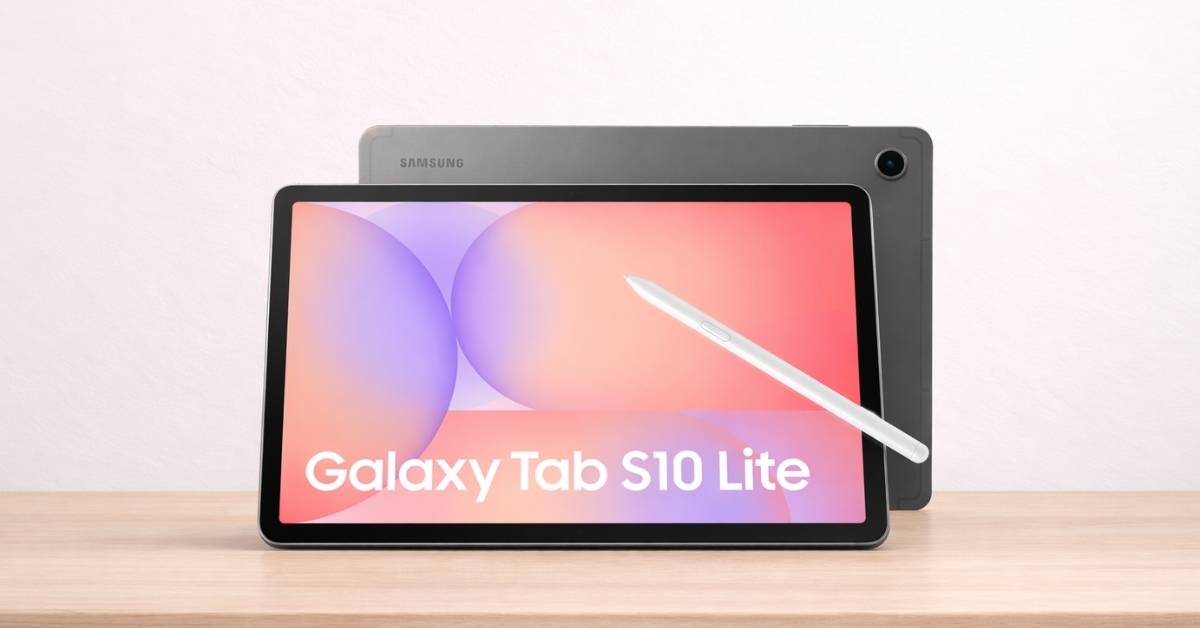
Great tablets don’t have to cost laptop money. The Samsung Galaxy Tab S10 Lite proves that you can get strong performance, a smooth display, and stylus support without stepping into premium pricing. In a market filled with expensive flagship models and underpowered budget devices, this tablet sits comfortably in the middle.
If you’re comparing options for school, work, streaming, or light gaming, you’re probably searching for something dependable that won’t feel outdated in a year. Samsung positions this model as a practical solution for everyday users who want modern features at a fair price. Let’s break down what you actually get, how it performs in real life, and who will benefit most. Here’s
Samsung Galaxy Tab S10 Lite: Specs and Core Features
The Samsung Galaxy Tab S10 Lite comes with a 10.9-inch WUXGA+ TFT LCD display (2112 × 1320 resolution) and a 90Hz refresh rate. That higher refresh rate makes scrolling feel smoother compared to traditional 60Hz panels, especially when browsing or switching apps. Key specifications include:
- 10.9-inch LCD display
- 90Hz refresh rate
- Exynos 1380 processor
- 6GB RAM
- 128GB storage (expandable via microSD up to 1TB)
- 8,000mAh battery
- 25W fast charging
- Included S Pen
- Android 15 with One UI
On Amazon US, the Wi-Fi 128GB model is currently listed around $349.99, though pricing can fluctuate depending on sales. If you’ve searched for Samsung Galaxy Tab S10 Lite specs, these are the details that matter most for day-to-day use.
Display Quality and Everyday Viewing Experience
The 10.9-inch screen feels spacious without becoming bulky. The resolution keeps text crisp, and streaming video looks sharp at normal viewing distances. The 90Hz refresh rate adds smoothness that you’ll notice right away while scrolling through websites or social media.
Samsung’s Vision Booster technology adjusts brightness and contrast in brighter environments. In outdoor testing, visibility remained usable under direct sunlight, though it doesn’t reach the vibrancy of Samsung’s AMOLED panels found in higher-end Galaxy Tab models.
If you’re coming from an older tablet, the jump in smoothness and clarity feels significant. If you’re comparing it to a flagship AMOLED display, you’ll notice less contrast and slightly muted blacks. For most users, especially students and casual viewers, the display holds up well.
Performance in Real-World Use
The Exynos 1380 processor handles typical workloads confidently. During testing with:
- Google Chrome (multiple tabs open)
- YouTube streaming in 1080p
- Samsung Notes
- Microsoft Word
Performance stayed stable with no major stutters. App switching is smooth with 6GB of RAM, though extremely heavy multitasking can slow things slightly. If you’ve searched for Samsung Galaxy Tab S10 Lite performance, here’s the short version: it works great for productivity, streaming, note-taking, and casual gaming. It’s not built for high-end mobile gaming at max graphics.
Games like Genshin Impact run on reduced settings. Lighter titles run smoothly. For daily productivity and entertainment, it feels responsive and reliable.
Battery Life That Gets You Through the Day
Battery life is one of the strongest features. Samsung claims up to 16 hours of video playback based on internal testing. In mixed real-world use—browsing, streaming, note-taking—you can expect a full day without charging.
An 8,000mAh battery gives you breathing room during long study sessions or travel days. The 25W fast charging support brings the battery to about 50% in roughly 45 minutes with a compatible charger. If battery anxiety has been an issue with older tablets, this one delivers consistent endurance.
S Pen: A Major Advantage at This Price
The included S Pen is one of the biggest reasons people search for Samsung Galaxy Tab S10 Lite review content. Unlike some competitors that sell styluses separately, Samsung includes it in the box. That alone adds significant value. The S Pen works well for:
- Handwritten notes
- PDF annotation
- Sketching and diagrams
- Signing documents
Palm rejection performs reliably, and latency feels low during note-taking. The handwriting-to-text feature inside Samsung Notes converts writing into typed text accurately in most cases.
As someone who has tested multiple mid-range tablets over the past few years, bundled stylus support at this price point remains rare. Students and professionals benefit the most here.
Software Experience and Long-Term Support
The tablet runs Android 15 with Samsung’s One UI interface. The layout feels polished and optimized for larger screens. Features that stand out:
- Split-screen multitasking
- Resizable app windows
- DeX-style desktop mode
- Samsung Notes sync across devices
- Quick Share file transfers
Samsung has committed to four major Android updates and five years of security patches. According to Samsung’s official update policy announcements in recent years, this level of support places it among the strongest in the Android tablet market. That long update window adds confidence if you plan to keep the tablet for several years.
Cameras and Media Capabilities
Tablet cameras rarely replace smartphones, and that holds true here. Rear camera: 8MP with autofocus Front camera: 5MP
The rear camera works fine for scanning documents and quick reference shots. The front camera handles video calls clearly enough for Zoom or Google Meet sessions. Stereo speakers with Dolby Atmos support deliver surprisingly full sound for a mid-range device.
Dialogue is clear, and volume levels are strong enough for small rooms without external speakers. There is no 3.5mm headphone jack, so Bluetooth or USB-C audio is required.
How It Compares to the Base iPad
If you’re comparing Samsung Galaxy Tab S10 Lite vs iPad 10th generation, here’s how they differ:
- The iPad offers strong app optimization and Apple ecosystem benefits.
- The Galaxy Tab S10 Lite includes the S Pen at no extra cost.
- The iPad requires purchasing the Apple Pencil separately (around $99 on Amazon).
- Samsung supports expandable storage via microSD; Apple does not.
The decision often comes down to ecosystem preference and stylus needs. If you value bundled stylus support and expandable storage, Samsung has a clear advantage.
Storage and Expandability
With 128GB built-in storage, you get enough space for apps, documents, and offline video downloads. The microSD slot supports expansion up to 1TB, which is helpful for students storing large files or media libraries. If you’re searching for Samsung Galaxy Tab S10 Lite 128GB price, the Amazon US listing typically hovers around $349.99 for the Wi-Fi model, with occasional discounts.
Expandable storage remains a practical benefit that many tablets no longer offer.
Connectivity and Accessories
The tablet supports:
- Wi-Fi 6
- Bluetooth 5.3
- USB-C connectivity
Wi-Fi 6 improves stability in crowded networks. Bluetooth 5.3 ensures stable connections to keyboards, headphones, and controllers. Optional accessories include Samsung’s Book Cover Keyboard, which transforms the device into a laptop-style setup. Third-party cases and keyboard options are widely available on Amazon as well.
Potential Limitations to Consider
No device is perfect, and this one has trade-offs.
- LCD instead of AMOLED
- No biometric fingerprint sensor
- Mid-range gaming performance
If you need flagship-level display contrast or advanced creative power, Samsung’s higher-end Galaxy Tab models make more sense. For general productivity and media use, the compromises feel reasonable given the price.
Who Should Buy the Samsung Galaxy Tab S10 Lite?
This tablet fits best for:
- Students taking digital notes
- Professionals reviewing documents
- Casual users streaming content
- Android users invested in the Samsung ecosystem
It balances cost and functionality in a practical way. If you’re upgrading from an older tablet, the smoother display and better battery life will stand out immediately.
Is the Samsung Galaxy Tab S10 Lite Worth Buying?
The Samsung Galaxy Tab S10 Lite offers a balanced mix of performance, battery life, and productivity features at a price that feels fair. The included S Pen adds genuine value, especially for note-takers and students. While it doesn’t compete with premium AMOLED models, it delivers consistency where it matters most.
If you’re considering a mid-range Android tablet, this one deserves a closer look. You can explore current pricing and availability on Amazon to see ongoing deals.
While browsing, you may also discover accessories or bundles that match your setup. Take a few minutes to check it out on Amazon and compare it with your other shortlist options.